
Viewing Merchants
How to find and filter merchant accounts
Viewing Merchants
This guide explains how to navigate, filter, and browse merchant accounts in the Support App.
Accessing the Merchants List
- Click Merchants in the sidebar under the Ops section
- The merchants list loads with all organizations displayed
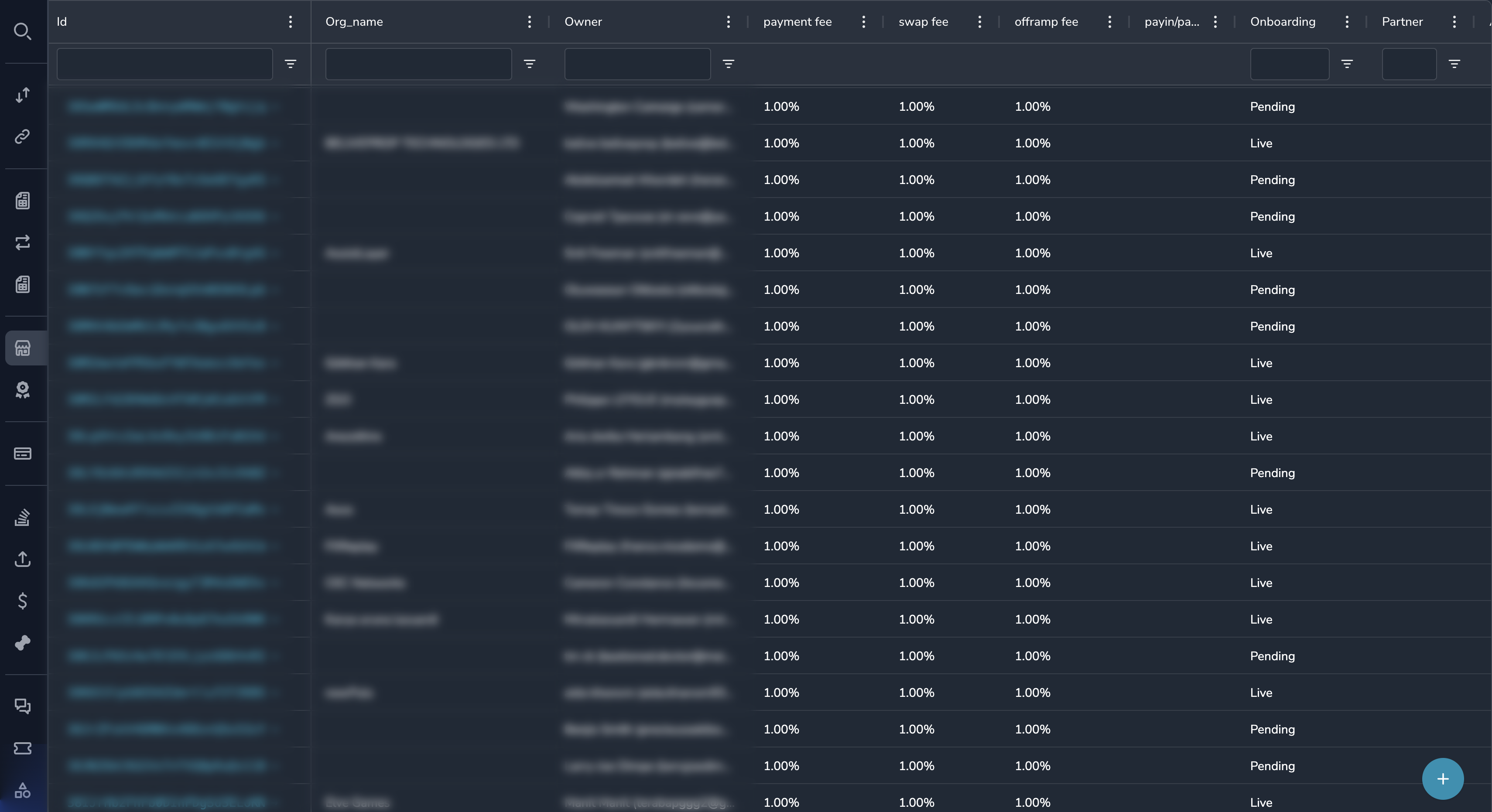
Understanding the Merchants Grid
| Column | Description |
|---|---|
| Organization ID | Unique identifier for the merchant |
| Name | Merchant's business name |
| Owner | Primary contact/owner name |
| Owner's email address | |
| Status | Active or Suspended |
| Created | When the merchant was onboarded |
Filtering Merchants
By Status
- Click the Status column filter
- Select Active or Suspended
- Click Apply
By Name
- Click the Name column filter
- Enter the merchant name (partial matches work)
- Click Apply
By Email
- Click the Email column filter
- Enter the email address
- Click Apply
By Date Range
- Click the Created column filter
- Select a date range
- Click Apply
Sorting Merchants
Click any column header to sort:
- First click: Sort ascending (A-Z)
- Second click: Sort descending (Z-A)
Viewing Merchant Details
To view complete merchant information:
- Click anywhere on the merchant row
- The merchant detail view opens
From the detail view, you can:
- View profile information
- Manage features
- Configure fees
- View accounts and metrics
Using Global Search
If you know the Organization ID:
- Press
Ctrl/Cmd + Kto open global search - Enter the Organization ID (starts with
org_) - Click the result to go directly to the merchant
Finding a Merchant's Payments
To see all payments for a specific merchant:
- Find and open the merchant
- Note the Organization ID
- Go to the Payments section
- Filter by Merchant = Organization ID
Or use the links within the merchant detail view.
Quick Tips
Tip
- Use global search if you have the Organization ID
- Filter by "Suspended" to find merchants needing attention
- Sort by "Created" descending to see newest merchants
Exporting Data
To export the merchants list:
- Apply any filters you want
- Click the Export button (if available)
- Choose the export format
Permissions
All roles can view merchants. See Merchants Overview for edit permissions by role.
Related Topics
- Merchant Profile — Understanding merchant information
- Feature Flags — Managing merchant features
- Fee Configuration — Setting merchant fees
Updated 7 months ago
Did this page help you?