
Payment Links
Viewing and understanding payment links
Payment Links
Payment links are shareable URLs that allow customers to make payments without requiring technical integration. This guide explains how to view and understand payment links in the Support App.
What Are Payment Links?
Payment links (also called "paylinks") are URLs that merchants create to collect payments. When a customer clicks a payment link, they see a checkout page where they can complete their payment.
Payment links can be used for:
- One-time purchases
- Recurring subscriptions
- Donations and tips
- Custom payment amounts
Accessing Payment Links
- Click Paylinks in the sidebar under the Pay section
- The payment links list displays all links in the system
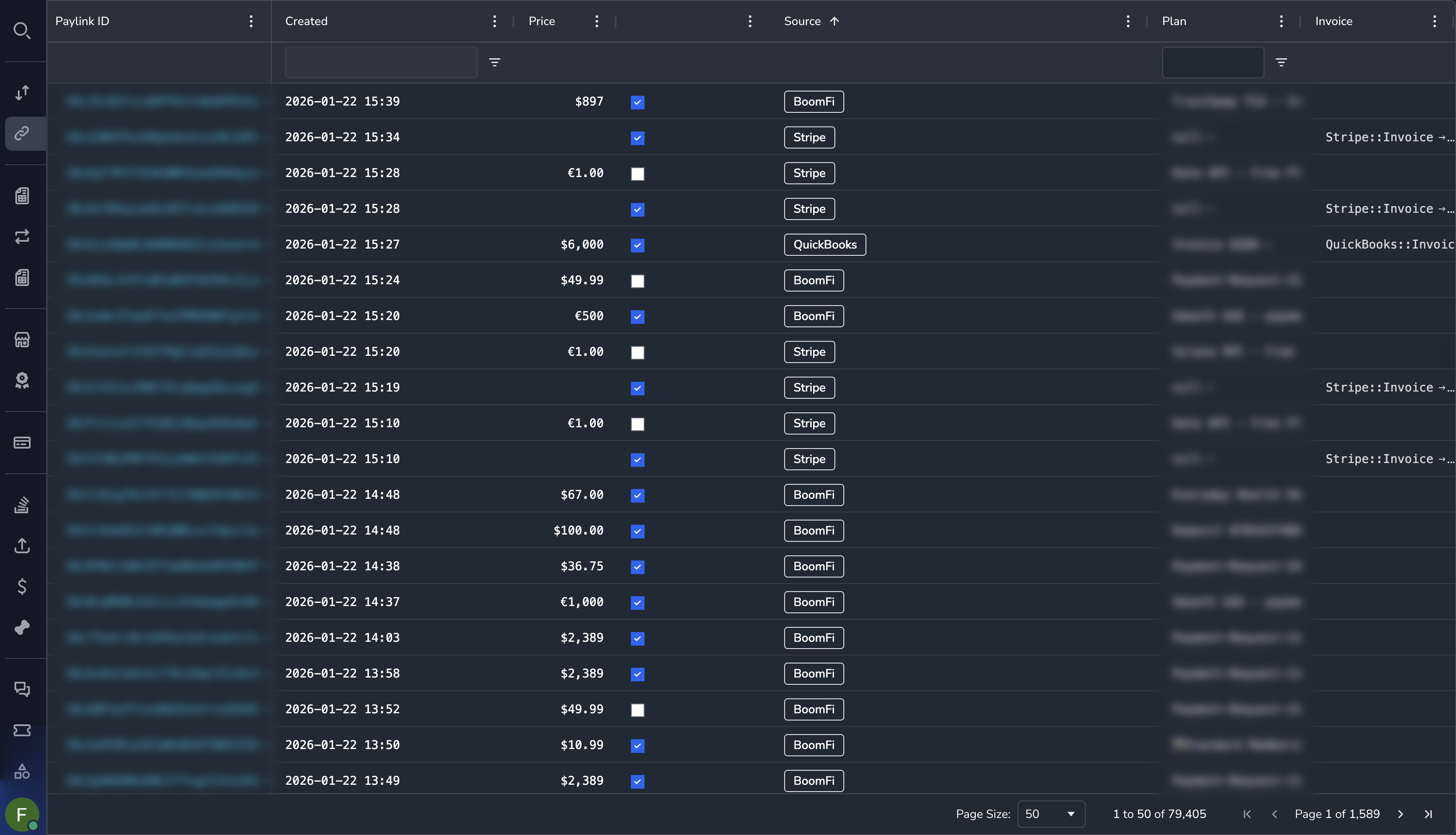
Understanding the Payment Links Grid
| Column | Description |
|---|---|
| Link ID | Unique identifier for the payment link |
| Name/Title | Display name of the payment link |
| Merchant | The merchant who created the link |
| Amount | Payment amount (or "Custom" if variable) |
| Currency | Payment currency |
| Type | One-time or Recurring |
| Status | Active or Inactive |
| Created | When the link was created |
Payment Link Details
Click on any payment link to view its details:
Basic Information
| Field | Description |
|---|---|
| Link ID | Unique identifier |
| URL | The shareable payment link URL |
| Name | Display name shown to customers |
| Description | Description shown on checkout |
Pricing Information
| Field | Description |
|---|---|
| Amount | Fixed amount or custom |
| Currency | Payment currency |
| Plan | Associated billing plan (if recurring) |
Configuration
| Field | Description |
|---|---|
| Status | Whether the link is active |
| Merchant | The owning merchant |
| Created Date | When created |
Filtering Payment Links
By Merchant
- Click the Merchant column filter
- Select or search for a merchant
- Click Apply
By Status
- Click the Status column filter
- Select Active or Inactive
- Click Apply
By Type
- Click the Type column filter
- Select One-time or Recurring
- Click Apply
Payment Link Statuses
| Status | Description |
|---|---|
| Active | The link can accept payments |
| Inactive | The link has been deactivated |
NoteWhen a merchant is suspended, all their payment links become inactive and cannot accept payments.
Viewing Payments from a Link
To see payments made through a specific payment link:
- Open the payment link details
- Look for the Payments section or link
- Click to view associated payments
Alternatively, filter the Payments list by the payment link ID.
Common Tasks
Finding a Specific Link
Use the global search (Ctrl/Cmd + K) if you have the link ID, or filter by merchant to narrow down the list.
Checking if a Link is Working
- Find the payment link
- Verify the status is Active
- Verify the merchant is not suspended
- Check if the associated plan is active (for recurring links)
Investigating Link Issues
If a customer reports a payment link is not working:
- Find the payment link in the list
- Check the status is Active
- Check the merchant status in the Merchants section
- Review any associated plan for issues
Permissions
| Role | View Payment Links |
|---|---|
| Super Admin | Yes |
| Admin | Yes |
| Payment Ops | Yes |
| Compliance Ops | Yes |
| CS Ops | Yes |
| Finance Ops | Yes |
| View Only | Yes |
Related Topics
- Subscriptions — View subscriptions created from payment links
- Plans — View pricing plans used by payment links
- Payments — View payments made through links
Updated 7 months ago