
Plans
Understanding billing plans
Plans
Billing plans define the pricing and terms for products and services. This guide explains how to view and understand plans in the Support App.
What Are Plans?
A plan is a reusable pricing template that defines:
- How much to charge
- When to charge (one-time, monthly, yearly)
- What currency to use
- Any trial periods
Plans are used by payment links and subscriptions to determine pricing.
Accessing Plans
- Click Plans in the sidebar under the Pay section
- The plans list displays all billing plans in the system
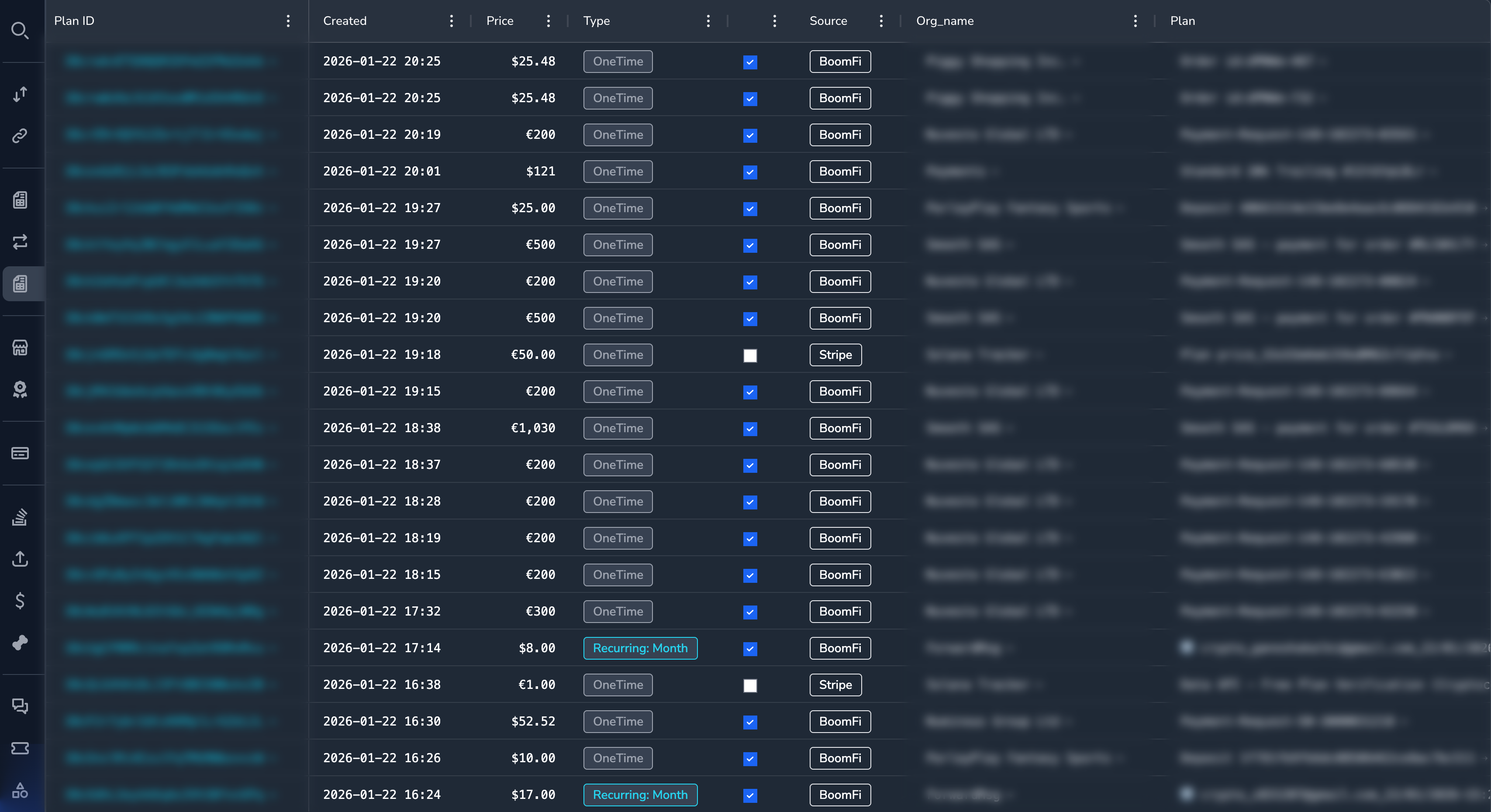
Understanding the Plans Grid
| Column | Description |
|---|---|
| Plan ID | Unique identifier |
| Name | Plan display name |
| Merchant | Merchant who created the plan |
| Amount | Price per billing cycle |
| Currency | Payment currency |
| Interval | Billing frequency |
| Status | Active or Archived |
| Created | When plan was created |
Plan Details
Click on any plan to view complete details:
Basic Information
| Field | Description |
|---|---|
| Plan ID | Unique identifier |
| Name | Display name |
| Description | What the plan includes |
| Status | Active or Archived |
Pricing
| Field | Description |
|---|---|
| Amount | Price per period |
| Currency | Payment currency |
| Interval | Billing frequency |
| Interval Count | Number of intervals (e.g., every 2 months) |
Trial Configuration
| Field | Description |
|---|---|
| Trial Period | Length of free trial (if any) |
| Trial Days | Number of trial days |
Merchant Information
| Field | Description |
|---|---|
| Merchant Name | Owning merchant |
| Organization ID | Merchant identifier |
Billing Intervals
| Interval | Description |
|---|---|
| One-time | Single payment, no recurrence |
| Daily | Charged every day |
| Weekly | Charged every week |
| Monthly | Charged every month |
| Yearly | Charged every year |
Filtering Plans
By Merchant
- Click the Merchant column filter
- Select or search for a merchant
- Click Apply
By Interval
- Click the Interval column filter
- Select the billing frequency
- Click Apply
By Status
- Click the Status column filter
- Select Active or Archived
- Click Apply
Plan Statuses
| Status | Description |
|---|---|
| Active | Plan can be used for new subscriptions |
| Archived | Plan is no longer available for new subscriptions |
NoteArchiving a plan does not affect existing subscriptions using that plan. It only prevents new subscriptions from selecting it.
Common Tasks
Finding Plans for a Merchant
- Go to the Plans list
- Filter by the merchant name
- Review all plans for that merchant
Understanding a Subscription's Pricing
- Find the subscription
- Note the Plan ID
- Go to Plans and find that plan
- Review the pricing details
Checking Plan Usage
To see how many subscriptions use a plan:
- Go to the Subscriptions list
- Filter by the plan
- View the count of subscriptions
Permissions
| Role | View Plans |
|---|---|
| Super Admin | Yes |
| Admin | Yes |
| Payment Ops | Yes |
| Compliance Ops | Yes |
| CS Ops | Yes |
| Finance Ops | Yes |
| View Only | Yes |
Related Topics
- Payment Links — View payment links that use plans
- Subscriptions — View subscriptions using plans
- Invoices — View invoices generated from plans
- Merchants — View merchant plan configurations
Updated 7 months ago
Did this page help you?