
Customer Profile
Understanding customer contact information and details
Customer Profile
The customer profile contains contact information and associated data. This guide explains the profile fields and how to view customer information.
Accessing Customer Profile
- Navigate to the Customers list
- Click on a customer to open the detail view
- The Profile section displays customer information
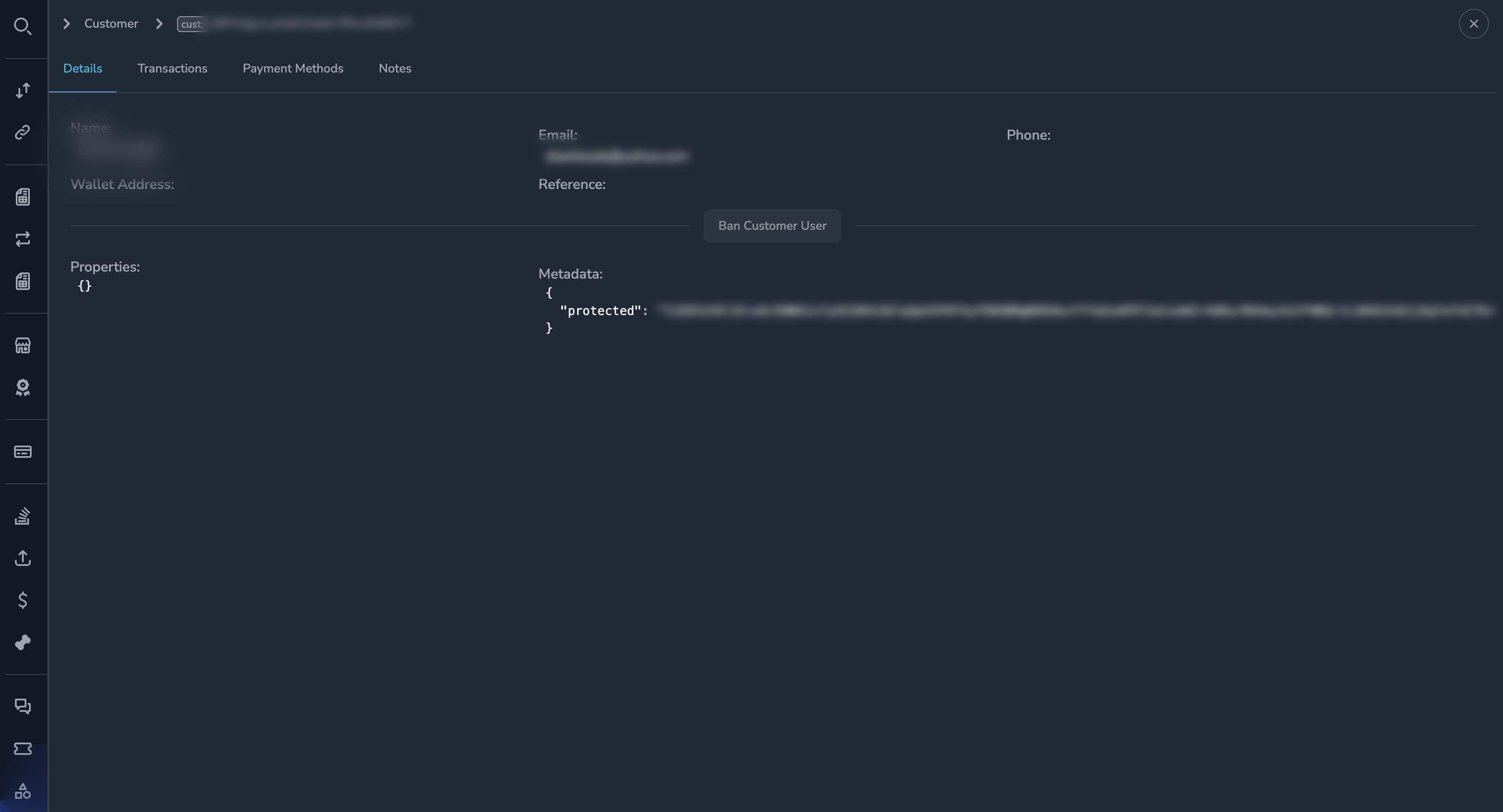
Profile Information
Contact Details
| Field | Description |
|---|---|
| Customer ID | Unique identifier for this customer relationship |
| Customer's email address | |
| Name | Customer's full name (if provided) |
| Phone | Customer's phone number (if provided) |
Account Information
| Field | Description |
|---|---|
| Status | Active or Suspended |
| Merchant | The merchant this customer belongs to |
| Created | When the customer record was created |
| Last Activity | When the customer last transacted |
Wallet Information
| Field | Description |
|---|---|
| Wallet Addresses | Cryptocurrency addresses associated with this customer |
| Primary Wallet | Main wallet address used for payments |
Viewing Wallet Addresses
The customer may have multiple wallet addresses on different networks:
Each wallet address shows:
- The blockchain address
- The network (Ethereum, Polygon, etc.)
- When it was first used
✅ Tip
Click on a wallet address to copy it to your clipboard.
Customer User View
To see information across all merchants (the underlying user):
- In the customer profile, look for the Customer User ID
- Click to view the unified customer user record
The customer user view shows:
- All merchant relationships for this user
- All wallet addresses across merchants
- Complete transaction history
Payment Methods
The Payment Methods section shows how the customer has paid:
| Method | Description |
|---|---|
| Crypto Wallet | Direct crypto payments |
| Card | Card payments (last 4 digits shown) |
| Other | Other payment methods used |
Metrics
If available, customer metrics show:
- Total payment volume
- Number of transactions
- Average transaction size
- First and last transaction dates
Permissions
| Role | View Profile | Edit Profile |
|---|---|---|
| Super Admin | Yes | Yes |
| Admin | Yes | Yes |
| Payment Ops | Yes | No |
| Compliance Ops | Yes | No |
| CS Ops | Yes | Yes |
| Finance Ops | Yes | No |
| View Only | Yes | No |
Best Practices
Customer Lookup
When a customer contacts support:
- Search by their email address
- Verify you have the correct customer
- Review their recent transactions
- Check for any existing notes
Privacy Considerations
- Only access customer data for legitimate business purposes
- Do not share customer information externally
- Document the reason for accessing sensitive data if required
Related Topics
- Viewing Customers - Finding customer records
- Transaction History - Viewing payments
- Internal Notes - Support notes
- Customer Management - Managing accounts
Updated 6 months ago
Did this page help you?