
Settlements
Viewing and tracking settlement transactions
Settlements
Settlements are transactions that transfer funds from platform accounts to merchant wallets. This guide explains how to view and understand settlements.
What Are Settlements?
Settlements complete the payment cycle by:
- Moving funds from platform custody to merchant wallets
- Executing after payments are confirmed
- Deducting applicable fees
- Recording on the blockchain
Accessing Settlements
- Click Settlements in the sidebar under the Ops section
- The settlements list displays all settlement transactions
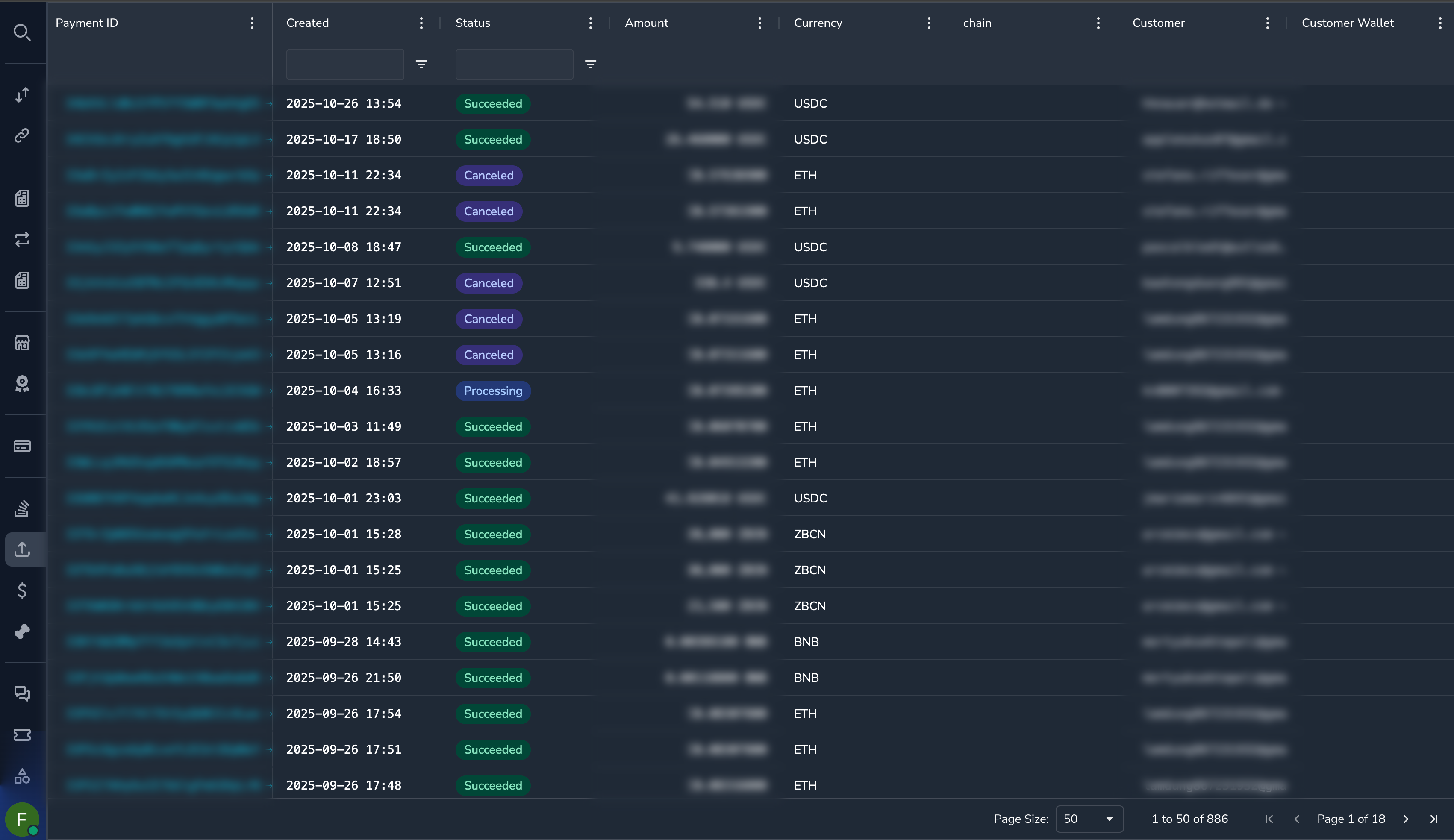
Understanding the Settlements Grid
| Column | Description |
|---|---|
| Settlement ID | Unique identifier |
| Payment ID | Associated payment (if applicable) |
| Organization | Receiving merchant |
| Amount | Settlement amount |
| Currency | Currency/token |
| Network | Blockchain network |
| Status | Settlement status |
| Destination | Merchant wallet address |
| Transaction Hash | Blockchain transaction ID |
| Created | When settlement was initiated |
Settlement Statuses
| Status | Description |
|---|---|
| Pending | Settlement queued for processing |
| Processing | Settlement being executed |
| Completed | Successfully settled on-chain |
| Failed | Settlement could not complete |
Filtering Settlements
By Status
- Click the Status column filter
- Select one or more statuses
- Click Apply
By Organization
- Click the Organization column filter
- Select or search for a merchant
- Click Apply
By Date Range
- Click the Created column filter
- Select a date range
- Click Apply
By Currency
- Click the Currency column filter
- Select the currency
- Click Apply
Viewing Settlement Details
Click on any settlement to see complete details:
Settlement Information
| Field | Description |
|---|---|
| Settlement ID | Unique identifier |
| Status | Current status |
| Created | When initiated |
| Completed | When finished (if completed) |
Amount Details
| Field | Description |
|---|---|
| Gross Amount | Original payment amount |
| Fee Amount | Fees deducted |
| Net Amount | Amount sent to merchant |
| Currency | Settlement currency |
Destination
| Field | Description |
|---|---|
| Wallet Address | Merchant's receiving address |
| Network | Blockchain network |
| Account | Settlement account reference |
Blockchain Details
| Field | Description |
|---|---|
| Transaction Hash | On-chain transaction ID |
| Block Number | Blockchain block (when confirmed) |
| Confirmations | Number of confirmations |
Click the Transaction Hash to view on a blockchain explorer.
Settlement Lifecycle
Payment Completed → Settlement Pending → Processing → Completed
                                             ↓
                                          Failed (retry may occur)
Common Tasks
Finding Settlements for a Payment
- Note the Payment ID
- Go to Settlements
- Filter by Payment ID (use search or column filter)
Or:
- Open the payment detail view
- Look for settlement information in the payment details
Checking Settlement Status
- Find the settlement in the list
- Check the Status column
- Click for details if needed
Viewing Transaction on Blockchain
- Open the settlement details
- Find the Transaction Hash
- Click to open in blockchain explorer
- Verify the on-chain transaction
Finding Delayed Settlements
- Go to Settlements
- Filter by Status = "Pending" or "Processing"
- Sort by Created ascending
- Review settlements that have been pending longest
Failed Settlements
When a settlement fails:
- Check the failure reason — Available in settlement details
- Common causes:
- Insufficient gas/network fees
- Invalid destination address
- Network congestion
- Technical issues
- Resolution — Failed settlements typically retry automatically
- Escalation — Contact support if failures persist
Permissions
| Role | View Settlements |
|---|---|
| Super Admin | Yes |
| Admin | Yes |
| Payment Ops | Yes |
| Compliance Ops | Yes |
| CS Ops | Yes |
| Finance Ops | Yes |
| View Only | Yes |
Related Topics
Updated 7 months ago
Did this page help you?