
Payment Doctor
How to resolve common payment issues
Payment Doctor
The Payment Doctor helps you resolve common issues that occur when customers make mistakes during payment. This guide explains how to use the Payment Doctor to fix problems and complete payments.
What the Payment Doctor Does
The Payment Doctor provides resolution tools for:
- Wrong token — Customer sent a different cryptocurrency than requested
- Wrong chain — Customer sent on the wrong blockchain network
- Underpayment — Customer sent less than the required amount
- Other issues — Various payment anomalies requiring correction
When to Use the Payment Doctor
Use the Payment Doctor when:
- A customer contacts support saying they sent the wrong token
- A payment shows a mismatch between expected and received funds
- A payment is stuck due to receiving funds on an unexpected chain
- You need to adjust payment parameters to reflect actual receipt
Accessing the Payment Doctor
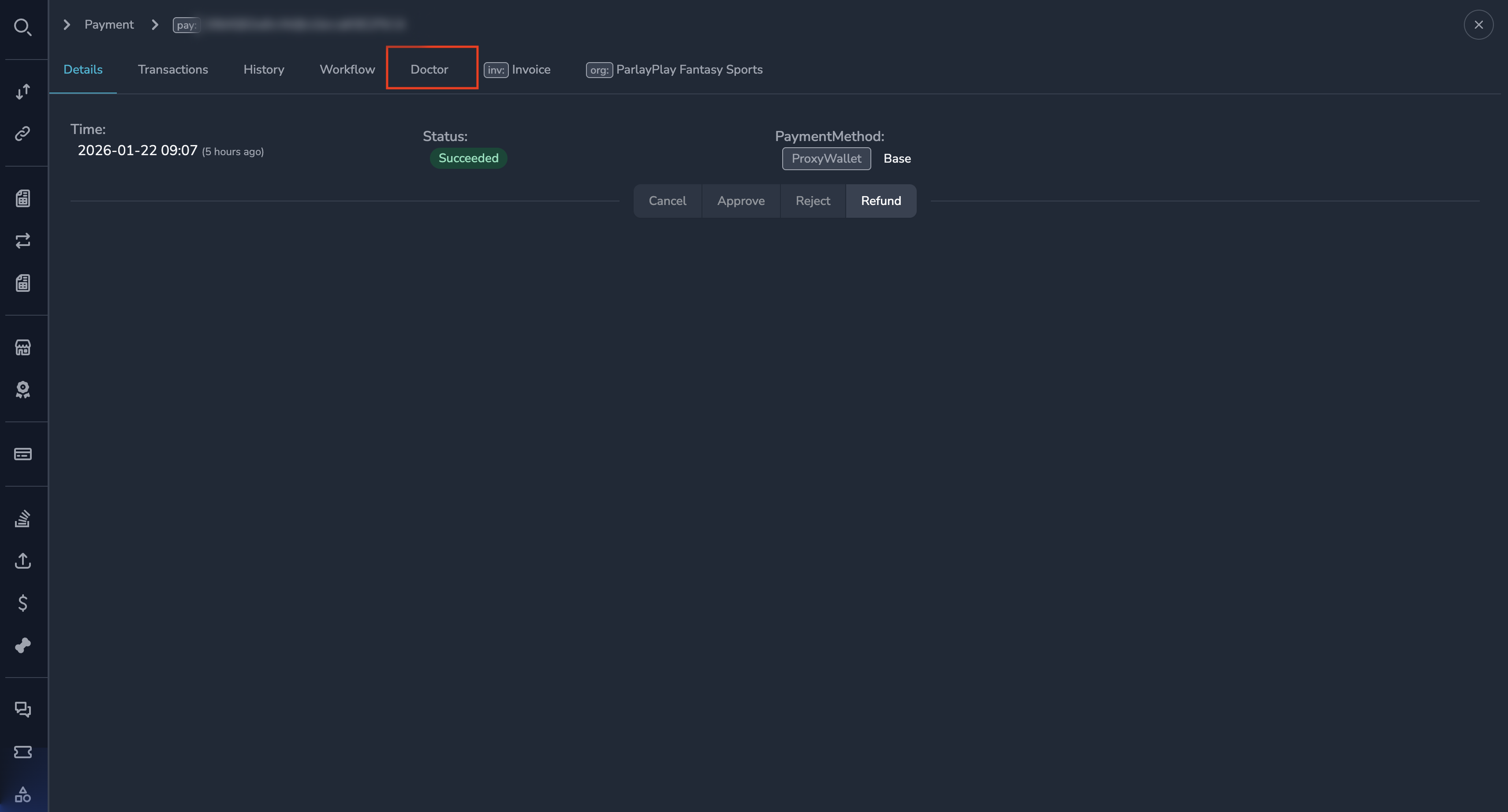
- Navigate to the payment that needs correction
- Open the payment detail view
- Click the Doctor button
Resolving Common Issues
Wrong Token Sent
When a customer sends a different cryptocurrency than requested:
- Open the Payment Doctor
- Select Wrong Token as the issue type
- Enter the token symbol that was actually received
- Verify the amount received
- Click Apply Fix
The system will:
- Update the payment record with the correct token
- Recalculate amounts based on current exchange rates
- Continue processing if all requirements are met
Wrong Chain Sent
When a customer sends funds on a different blockchain than expected:
- Open the Payment Doctor
- Select Wrong Chain as the issue type
- Select the actual chain where funds were received
- Verify the transaction details
- Click Apply Fix
The system will:
- Update the payment to reflect the correct chain
- Link to the correct blockchain transaction
- Continue processing
Underpayment
When a customer sends less than the required amount:
- Open the Payment Doctor
- Select Underpayment as the issue type
- View the shortfall amount
- Choose a resolution:
- Accept partial payment — Process with the reduced amount
- Wait for additional funds — Keep the payment open
- Cancel payment — Cancel and notify the customer
- Click Apply
NoteAccepting a partial payment means the merchant will receive less than originally requested. This may require merchant approval depending on your organization's policies.
Adjusting Payment Details
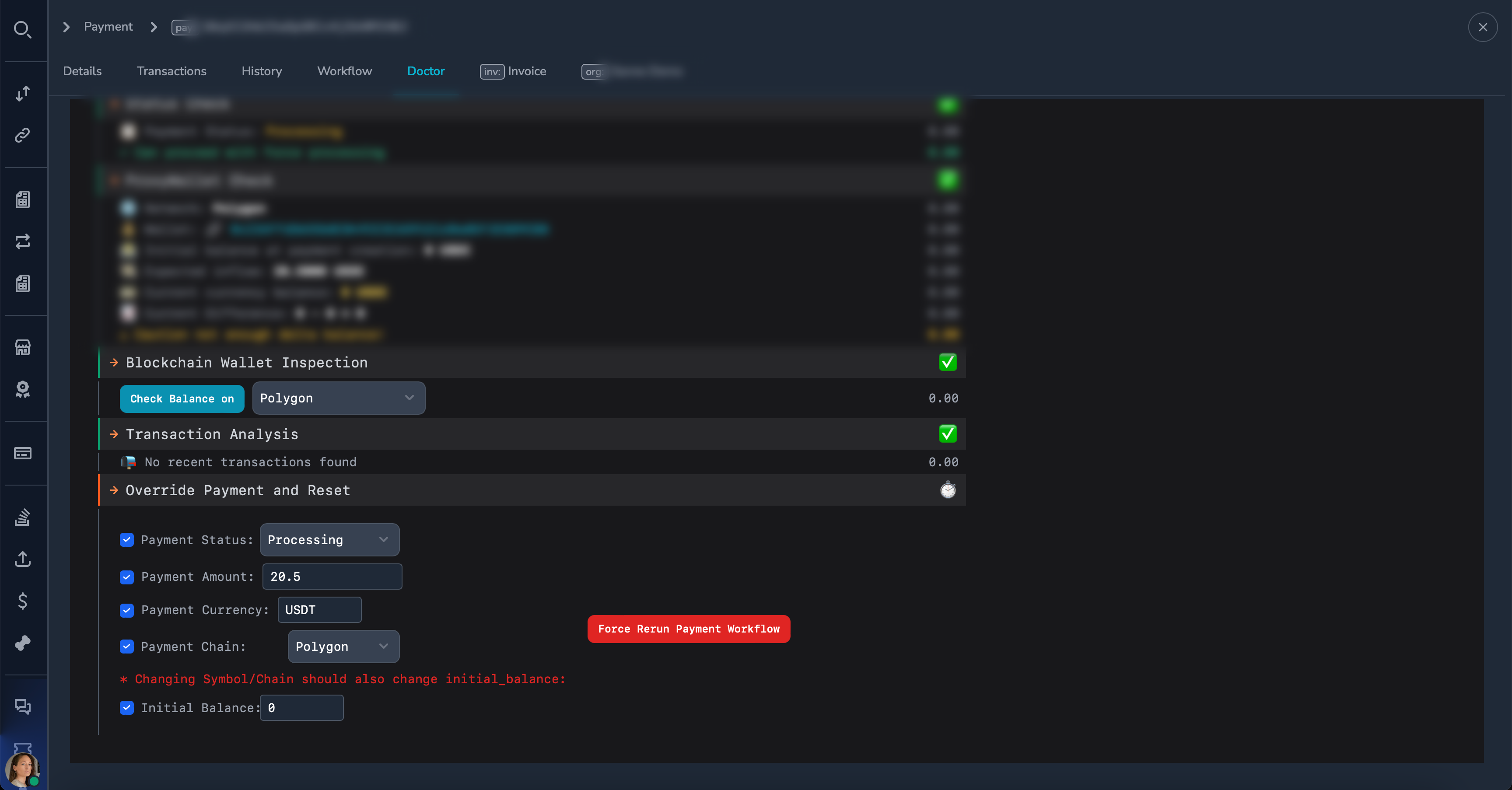
For other corrections, the Payment Doctor allows you to modify:
| Field | Description |
|---|---|
| Amount | Adjust the payment amount |
| Token/Currency | Change the cryptocurrency |
| Chain/Network | Change the blockchain network |
| Initial Balance | Adjust wallet initial balance calculation |
Payment Doctor Process
- Select the issue type — Choose what went wrong
- Enter correct details — Provide the accurate information
- Review changes — Verify the corrections before applying
- Apply fix — Confirm and process the correction
- Monitor result — Watch the payment progress after the fix
After Applying a Fix
Once a fix is applied:
- The payment record is updated with corrected information
- An audit entry is created showing the change
- The payment workflow restarts if needed
- The payment continues through normal processing
You can view the correction in the Payment History.
Best Practices
Tip
- Always verify the blockchain transaction before making corrections
- Double-check the token symbol and chain ID
- Document the reason for the correction
- Communicate with the customer about the resolution
Before Using the Doctor
- Verify the customer's claim — Check the blockchain transaction
- Confirm receipt — Ensure funds actually arrived at the payment address
- Get necessary approvals — Some corrections may require supervisor approval
Documentation
When using the Payment Doctor:
- Note the original issue clearly
- Record the correction made
- The system automatically logs the change with your user ID and timestamp
What the Payment Doctor Cannot Fix
Some issues are beyond the Payment Doctor's scope:
| Issue | Solution |
|---|---|
| Funds sent to wrong address entirely | Coordinate with treasury for manual recovery |
| Customer dispute | Use the reject/refund workflow |
| Duplicate payments | Process refund for the duplicate |
| Fraudulent payments | Use reject workflow |
For these situations, contact your supervisor or treasury team.
Permissions
The following roles can use the Payment Doctor:
| Role | Can Use Doctor |
|---|---|
| Super Admin | Yes |
| Admin | Yes |
| Payment Ops | Yes |
| Compliance Ops | No |
| CS Ops | Yes |
| Finance Ops | Yes |
| View Only | No |
Related Topics
- Payment Details — Understanding payment information
- Payment History — Viewing correction history
- Reviewing Payments — Approve/reject workflows
Updated 7 months ago