> ## Documentation Index
> Fetch the complete documentation index at: https://docs.boomfi.xyz/llms.txt
> Use this file to discover all available pages before exploring further.
# Checkout
> Hosted customer checkout for payment links.
When a customer opens a payment link, BoomFi hosts checkout at `https://pay.boomfi.xyz`: they connect a wallet or follow the configured payment methods and complete the transfer on a supported network.
## How it fits together
1. You create a [Payment Links](/payments/paylinks) in the dashboard or API
2. You send the checkout URL (email, your website, in-app browser)
3. Customer completes payment
4. Your backend receives webhooks and updates order state
## After completion
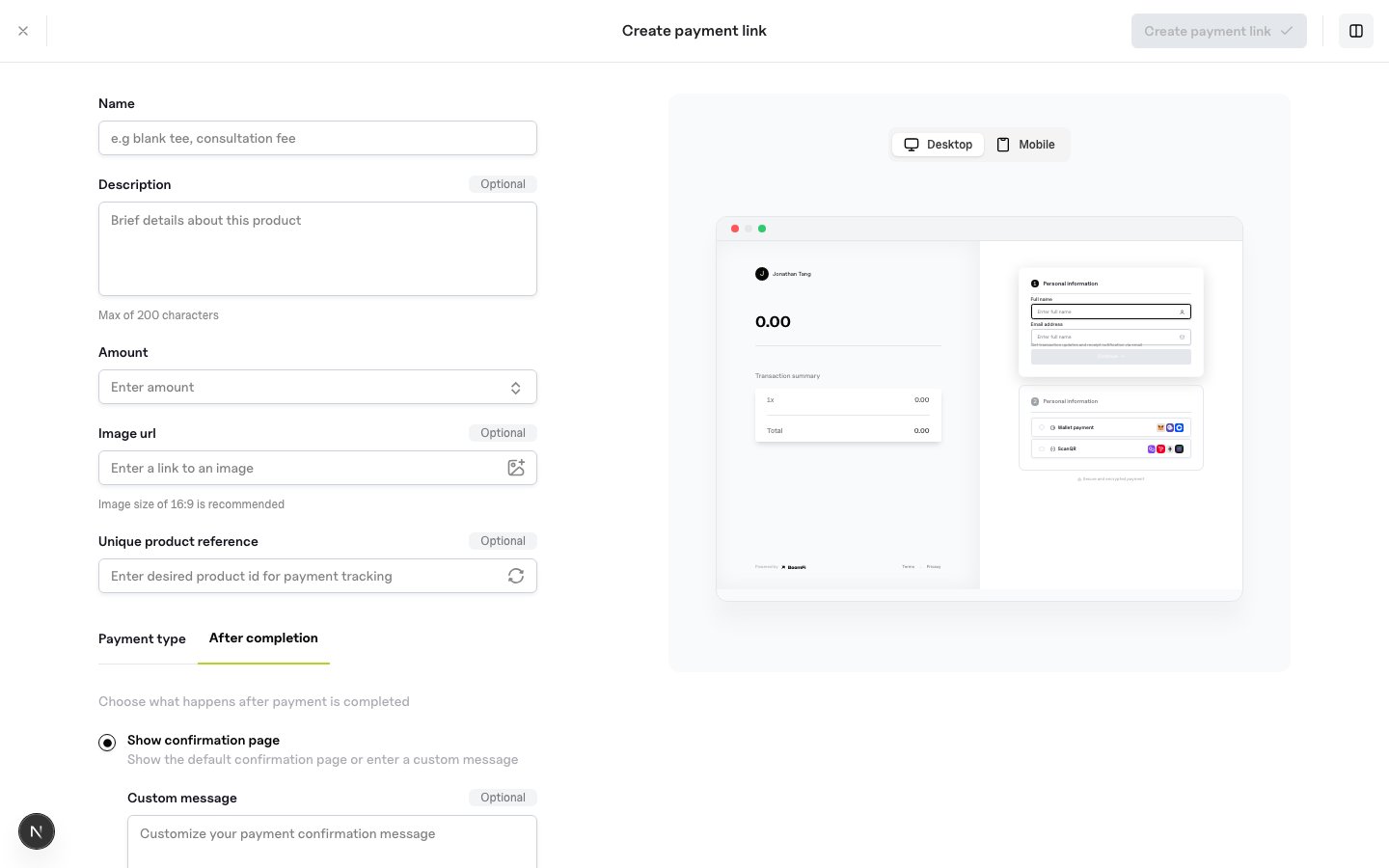
In the dashboard paylink builder you can:
* Show a confirmation screen (default or custom message)
* Redirect to your own success URL
* Optionally allow repeat payments without a duplicate-payment acknowledgement
 ## Redirect from your app
```javascript theme={null}
// Prefer the checkout URL from the dashboard or generate-variant response (`data.url`).
// Create-paylink responses expose the link `id`: open the hosted URL returned by your
// integration path, or call POST /paylinks/generate-variant/{paylinkId} when you need
// amount/currency overrides and a temporary checkout URL.
const checkoutUrl = variantResponse.data.url;
window.location.href = checkoutUrl;
```
## Trust server-side confirmation only
Do not ship digital goods based solely on the browser landing on a success URL. Always verify [Verify Webhook Signatures](/webhooks/verify-signatures) and treat `Payment.Updated` with a successful status as authoritative.
## Transactions
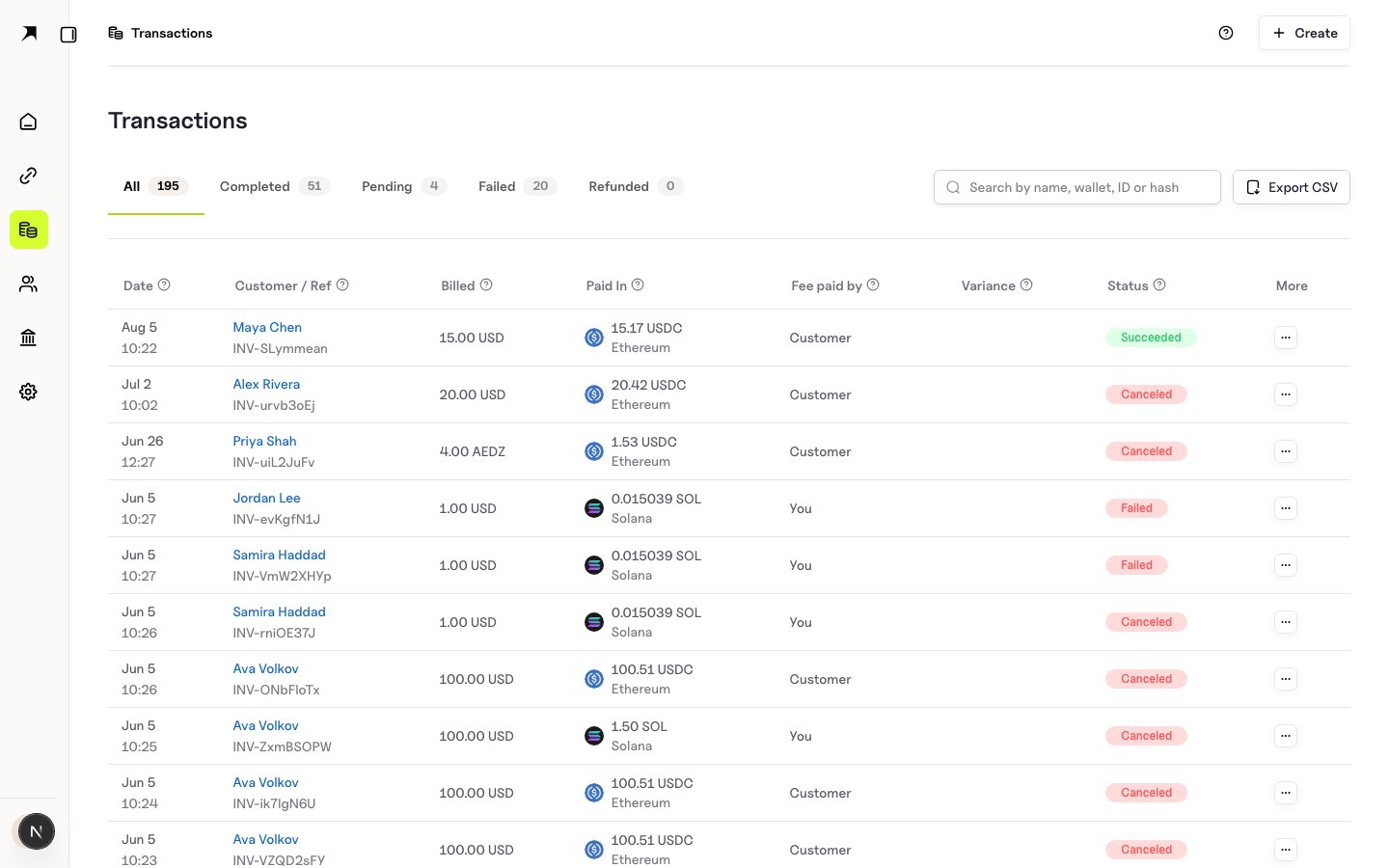
Inspect payments under `https://app.boomfi.xyz/dashboard/transactions`.
## Redirect from your app
```javascript theme={null}
// Prefer the checkout URL from the dashboard or generate-variant response (`data.url`).
// Create-paylink responses expose the link `id`: open the hosted URL returned by your
// integration path, or call POST /paylinks/generate-variant/{paylinkId} when you need
// amount/currency overrides and a temporary checkout URL.
const checkoutUrl = variantResponse.data.url;
window.location.href = checkoutUrl;
```
## Trust server-side confirmation only
Do not ship digital goods based solely on the browser landing on a success URL. Always verify [Verify Webhook Signatures](/webhooks/verify-signatures) and treat `Payment.Updated` with a successful status as authoritative.
## Transactions
Inspect payments under `https://app.boomfi.xyz/dashboard/transactions`.
 ## Next steps
* [Webhooks Overview](/webhooks/overview)
* [Cookbook: Sell a Product](/payments/cookbook-sell-product)
* [Cookbook: Offer Crypto as a PSP](/payments/cookbook-psp-paylinks)
## Next steps
* [Webhooks Overview](/webhooks/overview)
* [Cookbook: Sell a Product](/payments/cookbook-sell-product)
* [Cookbook: Offer Crypto as a PSP](/payments/cookbook-psp-paylinks)