> ## Documentation Index
> Fetch the complete documentation index at: https://docs.boomfi.xyz/llms.txt
> Use this file to discover all available pages before exploring further.
# Transactions
> View, filter, and export payments; open explorer details and download receipts.
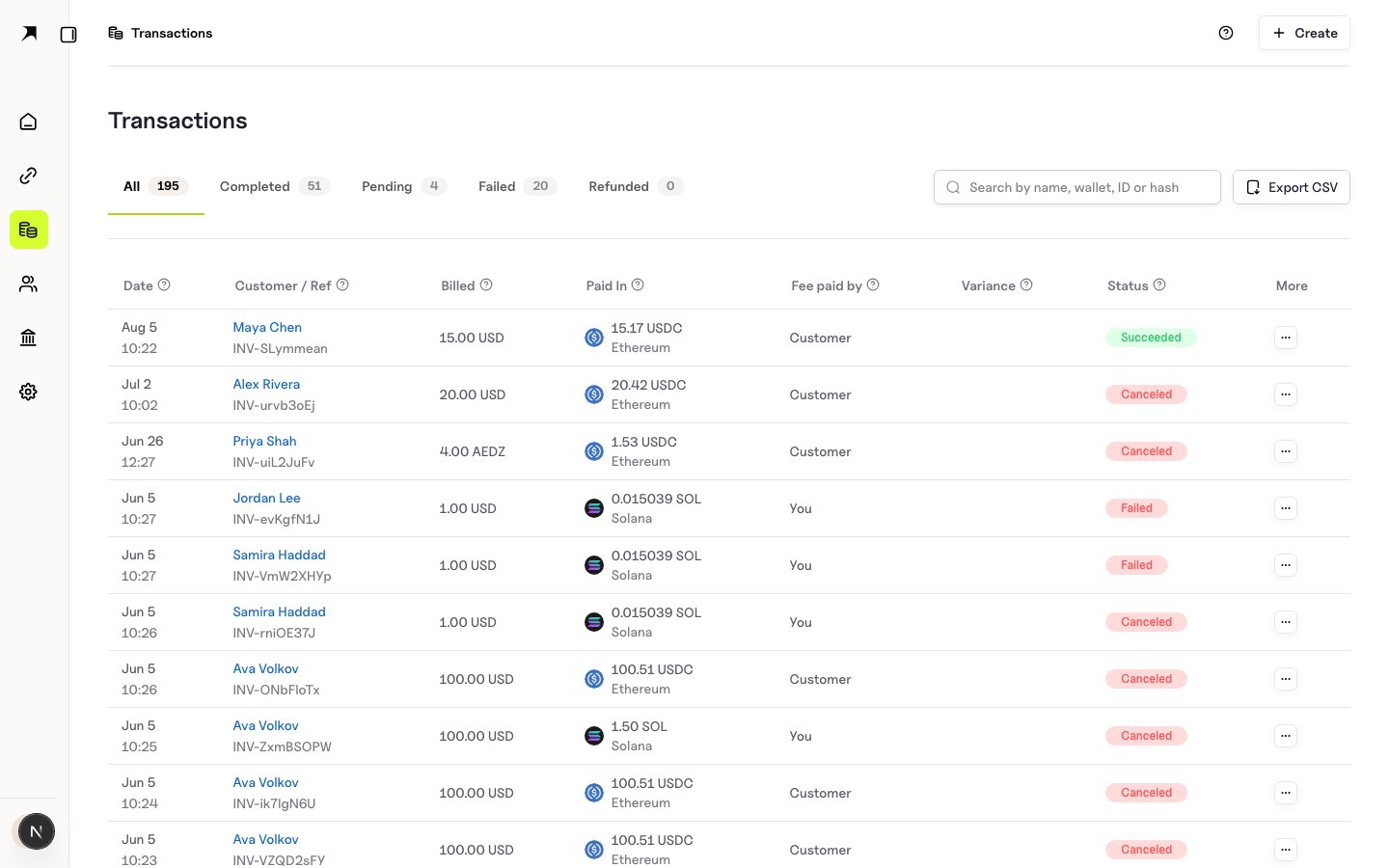
The **Transactions** list is a filterable ledger of payments in the merchant dashboard.
Open:
`https://app.boomfi.xyz/dashboard/transactions`
 ## Status and filters
Filter by status, date, customer, pay link, or network. Use export when you need a CSV for finance or reconciliation.
## Row actions
For each transaction you can:
| Action | What it does |
| -------------------------- | --------------------------------------------------- |
| Customer details | Open the customer profile (name, wallet, history) |
| Transaction details / hash | Follow the chain hash to a block explorer |
| Download receipt | PDF (or equivalent) receipt for bookkeeping and tax |
## Status and filters
Filter by status, date, customer, pay link, or network. Use export when you need a CSV for finance or reconciliation.
## Row actions
For each transaction you can:
| Action | What it does |
| -------------------------- | --------------------------------------------------- |
| Customer details | Open the customer profile (name, wallet, history) |
| Transaction details / hash | Follow the chain hash to a block explorer |
| Download receipt | PDF (or equivalent) receipt for bookkeeping and tax |
 ### Customer details
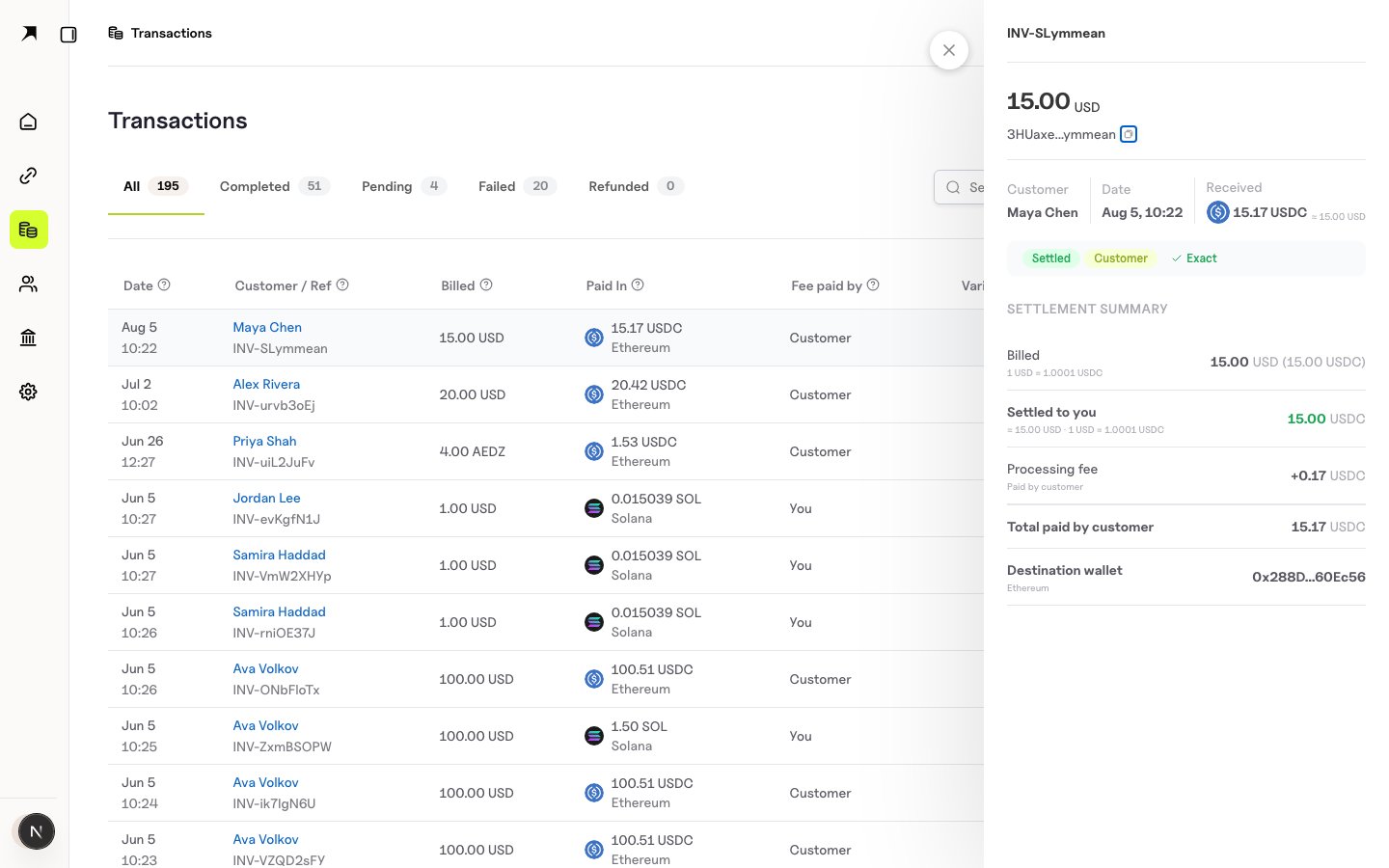
Select the customer name or wallet address on the row to open their [customer](/dashboard/customers) profile, including history and subscriptions where present.
### On-chain details
Use the **transaction hash** link to open the chain explorer for confirmation and fee data outside BoomFi.
### Receipt
Download receipt for:
* Bookkeeping and audits
* Proof of payment between parties
* Tax records
## API
List and retrieve payments via the Payments API using [https://mapi.boomfi.xyz/v1](https://mapi.boomfi.xyz/v1) and your merchant API key. After a successful checkout, redirect flows can include a `pid` payment id: see [Paylink Features](/payments/paylink-features).
## Related
* [Customers](/dashboard/customers)
* [Webhooks Overview](/webhooks/overview)
* [Checkout](/payments/checkout)
### Customer details
Select the customer name or wallet address on the row to open their [customer](/dashboard/customers) profile, including history and subscriptions where present.
### On-chain details
Use the **transaction hash** link to open the chain explorer for confirmation and fee data outside BoomFi.
### Receipt
Download receipt for:
* Bookkeeping and audits
* Proof of payment between parties
* Tax records
## API
List and retrieve payments via the Payments API using [https://mapi.boomfi.xyz/v1](https://mapi.boomfi.xyz/v1) and your merchant API key. After a successful checkout, redirect flows can include a `pid` payment id: see [Paylink Features](/payments/paylink-features).
## Related
* [Customers](/dashboard/customers)
* [Webhooks Overview](/webhooks/overview)
* [Checkout](/payments/checkout)