> ## Documentation Index
> Fetch the complete documentation index at: https://docs.boomfi.xyz/llms.txt
> Use this file to discover all available pages before exploring further.
# Team and Roles
> Invite teammates and understand Owner, Admin, Member, and Accountant permissions.
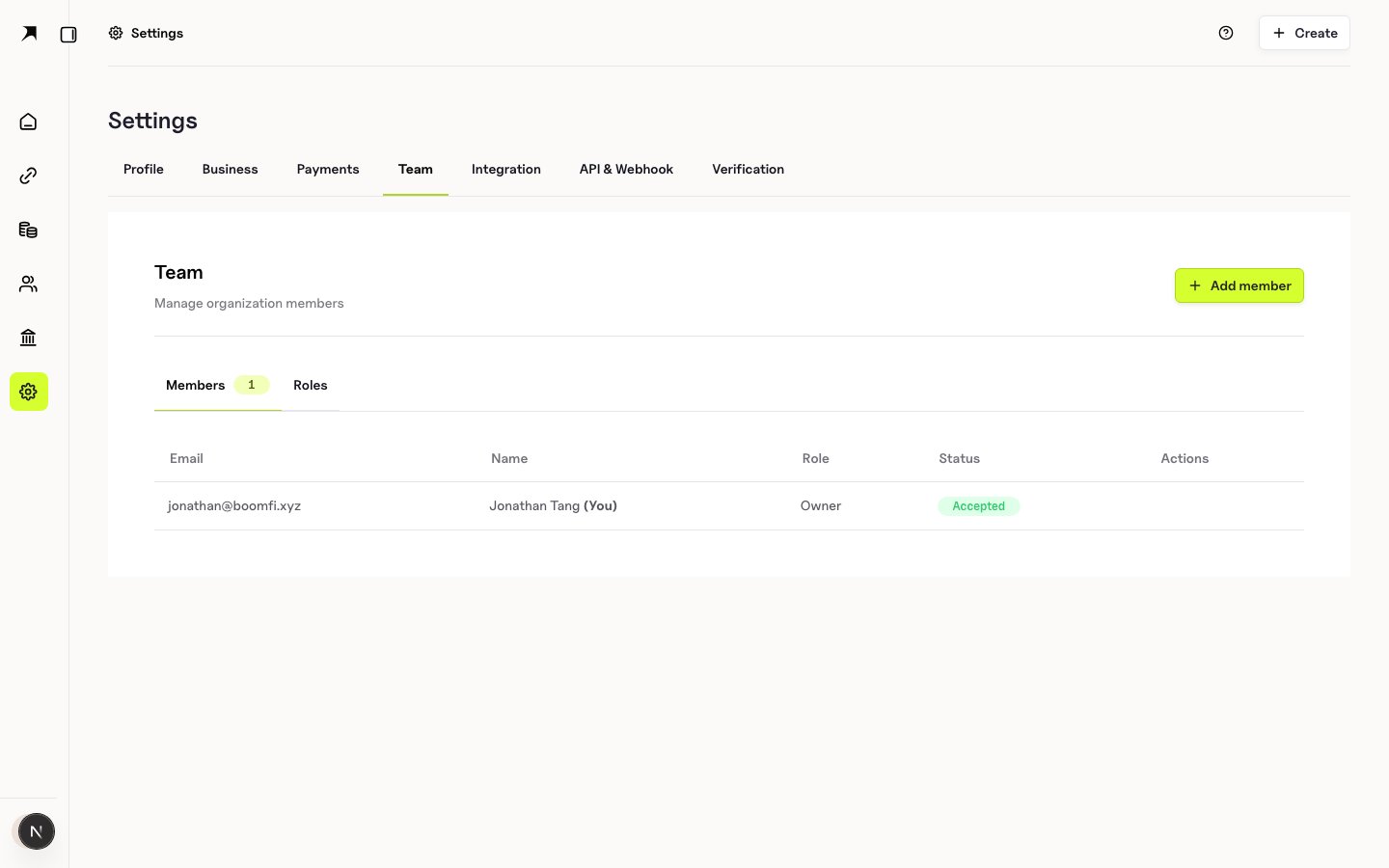
In **Settings → Team**, invite colleagues by email and assign a role.
Open:
`https://app.boomfi.xyz/dashboard/settings/members`
 ## Role summary
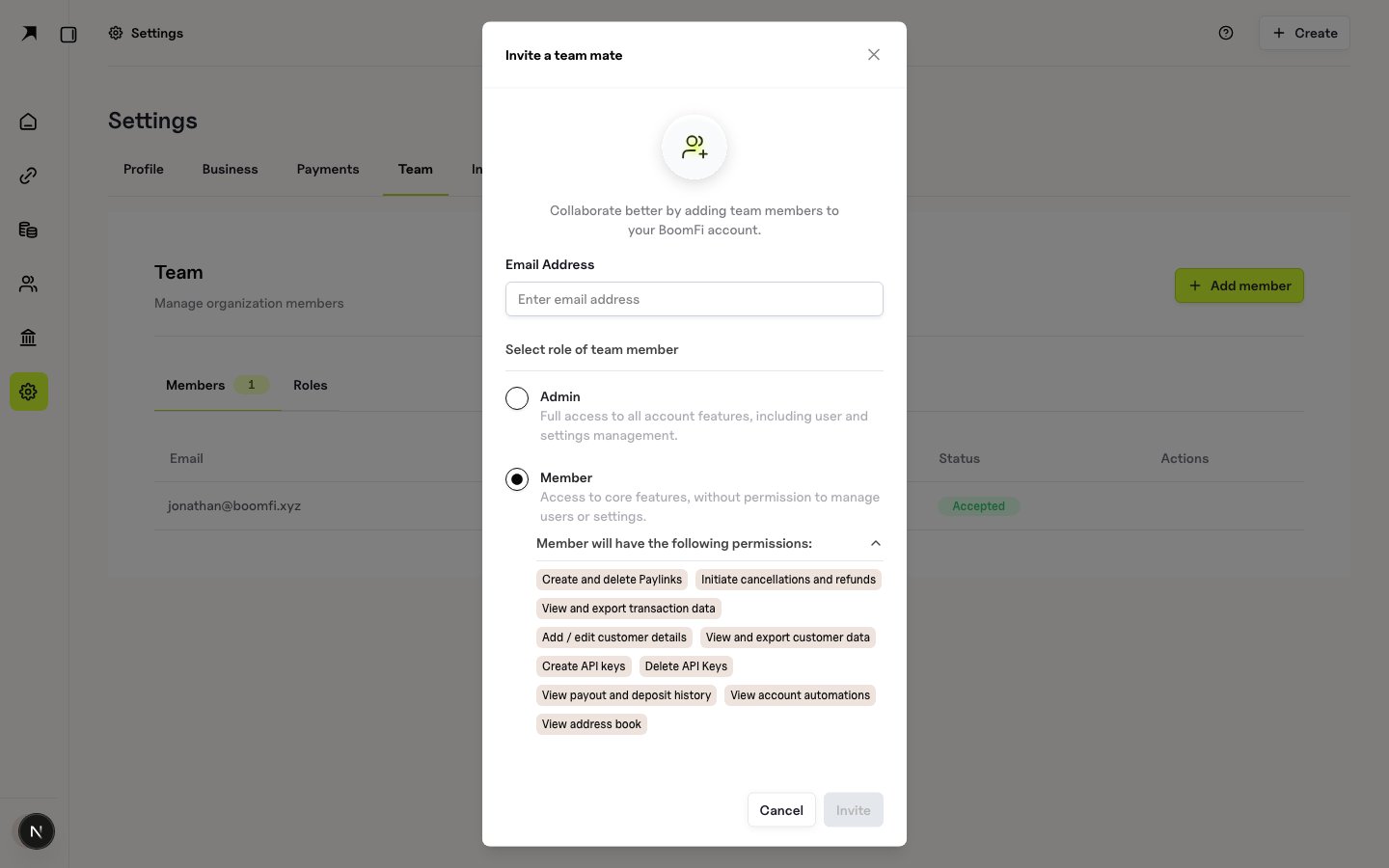
* **Owner**: full organisation control, including delete and organisation-level settings
* **Admin**: full management of team, funds transfer, API keys, settlement, and webhooks (except organisation delete)
* **Member**: create and manage pay links, view/export customers and transactions, refunds and cancellations
* **Accountant**: view and export customers and transaction data only
## Invite a teammate
1. Open the Team page
2. Click **Add user** (or equivalent)
3. Enter work email and choose a role
4. Send the invite
## Role summary
* **Owner**: full organisation control, including delete and organisation-level settings
* **Admin**: full management of team, funds transfer, API keys, settlement, and webhooks (except organisation delete)
* **Member**: create and manage pay links, view/export customers and transactions, refunds and cancellations
* **Accountant**: view and export customers and transaction data only
## Invite a teammate
1. Open the Team page
2. Click **Add user** (or equivalent)
3. Enter work email and choose a role
4. Send the invite
 ## Permission matrix
| Permission | Owner | Admin | Member | Accountant |
| ---------------------------- | :---: | :---: | :----: | :--------: |
| View dashboard | Yes | Yes | Yes | Yes |
| View transactions | Yes | Yes | Yes | Yes |
| Export transactions | Yes | Yes | Yes | Yes |
| View customers | Yes | Yes | Yes | Yes |
| Export customers | Yes | Yes | Yes | Yes |
| Create customers | Yes | Yes | Yes | No |
| Edit customers | Yes | Yes | Yes | No |
| Delete customers | Yes | Yes | Yes | No |
| View paylinks | Yes | Yes | Yes | No |
| Create paylinks | Yes | Yes | Yes | No |
| Edit paylinks | Yes | Yes | Yes | No |
| Initiate refunds | Yes | Yes | Yes | No |
| Cancel payments | Yes | Yes | Yes | No |
| Manage team members | Yes | Yes | No | No |
| Manage integrations | Yes | Yes | No | No |
| Manage API keys | Yes | Yes | No | No |
| Manage settlement accounts | Yes | Yes | No | No |
| Edit business settings | Yes | Yes | No | No |
| View webhook configuration | Yes | Yes | No | No |
| Manage webhook configuration | Yes | Yes | No | No |
| Transfer funds | Yes | Yes | No | No |
| Manage organisation settings | Yes | No | No | No |
| Delete organisation | Yes | No | No | No |
## Permission matrix
| Permission | Owner | Admin | Member | Accountant |
| ---------------------------- | :---: | :---: | :----: | :--------: |
| View dashboard | Yes | Yes | Yes | Yes |
| View transactions | Yes | Yes | Yes | Yes |
| Export transactions | Yes | Yes | Yes | Yes |
| View customers | Yes | Yes | Yes | Yes |
| Export customers | Yes | Yes | Yes | Yes |
| Create customers | Yes | Yes | Yes | No |
| Edit customers | Yes | Yes | Yes | No |
| Delete customers | Yes | Yes | Yes | No |
| View paylinks | Yes | Yes | Yes | No |
| Create paylinks | Yes | Yes | Yes | No |
| Edit paylinks | Yes | Yes | Yes | No |
| Initiate refunds | Yes | Yes | Yes | No |
| Cancel payments | Yes | Yes | Yes | No |
| Manage team members | Yes | Yes | No | No |
| Manage integrations | Yes | Yes | No | No |
| Manage API keys | Yes | Yes | No | No |
| Manage settlement accounts | Yes | Yes | No | No |
| Edit business settings | Yes | Yes | No | No |
| View webhook configuration | Yes | Yes | No | No |
| Manage webhook configuration | Yes | Yes | No | No |
| Transfer funds | Yes | Yes | No | No |
| Manage organisation settings | Yes | No | No | No |
| Delete organisation | Yes | No | No | No |