> ## Documentation Index
> Fetch the complete documentation index at: https://docs.boomfi.xyz/llms.txt
> Use this file to discover all available pages before exploring further.
# Business Settings
> Organisation profile, webhook endpoint, and public key for BoomFi.
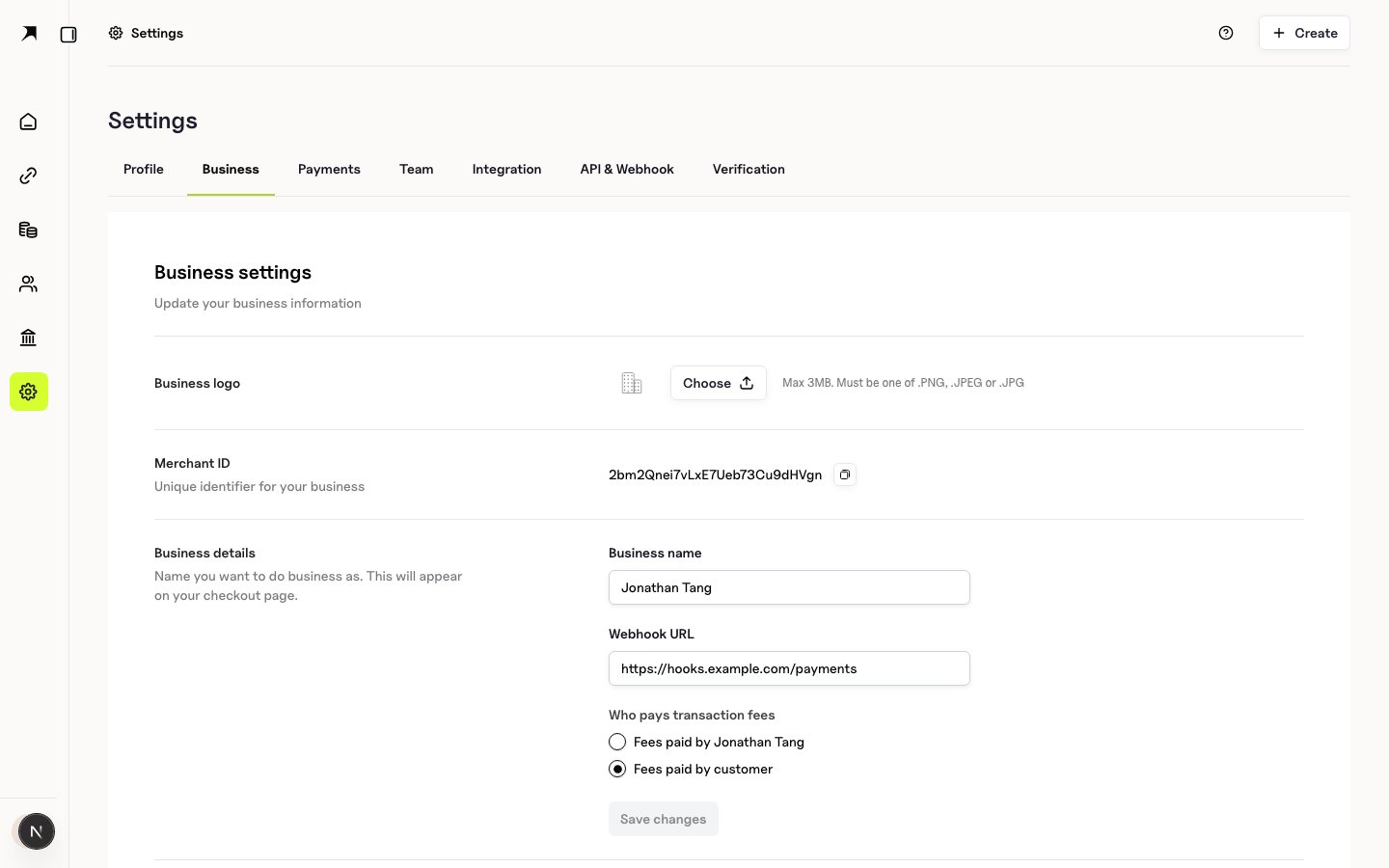
Use **Settings → Business** to manage organisation identity and the HTTPS endpoint that receives signed webhook deliveries.
Open:
`https://app.boomfi.xyz/dashboard/settings/merchant`
 ## Organisation profile
Fields include:
* Legal or display name
* Logo used on hosted checkout where supported
* Support or contact details as shown in the form
Save after each change. Incomplete org details can block downstream products that require KYB.
## Webhook URL
Enter the **HTTPS URL** of your application that will receive `POST` events. BoomFi signs each delivery so you can verify authenticity.
* Configuration steps: [Configure Webhooks](/webhooks/setup)
* Signature verification: [Verify Webhook Signatures](/webhooks/verify-signatures)
* Event catalogue: [Event Types](/webhooks/event-types)
## Organisation profile
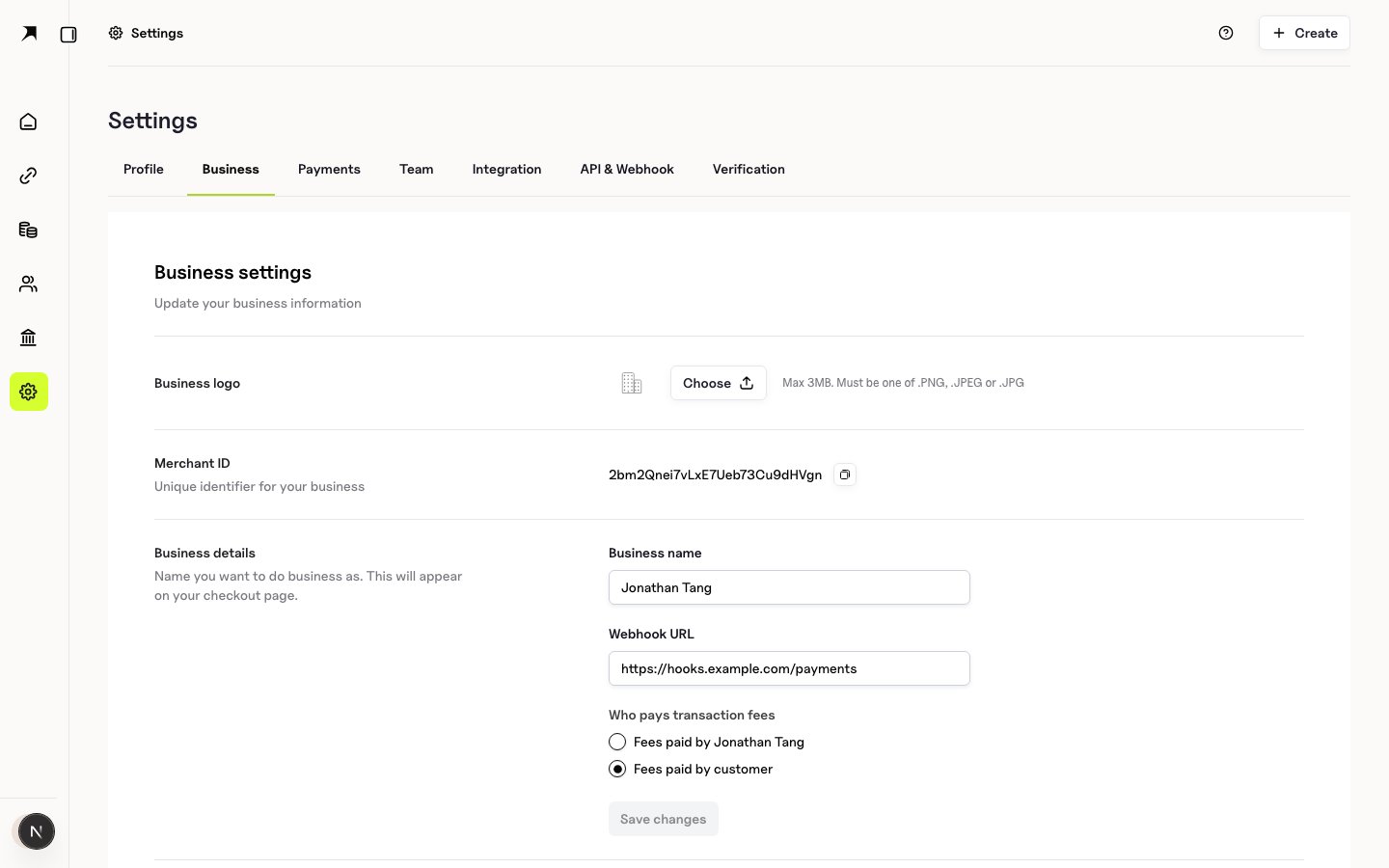
Fields include:
* Legal or display name
* Logo used on hosted checkout where supported
* Support or contact details as shown in the form
Save after each change. Incomplete org details can block downstream products that require KYB.
## Webhook URL
Enter the **HTTPS URL** of your application that will receive `POST` events. BoomFi signs each delivery so you can verify authenticity.
* Configuration steps: [Configure Webhooks](/webhooks/setup)
* Signature verification: [Verify Webhook Signatures](/webhooks/verify-signatures)
* Event catalogue: [Event Types](/webhooks/event-types)
 ## Webhook public key
The business settings page shows the **webhook public key** used to verify signed deliveries. Header names and verification steps are documented in [Verify Webhook Signatures](/webhooks/verify-signatures).
Rotate by regenerating keys only when your receiver is ready to accept the new public material.
## Next steps
1. [Team and Roles](/dashboard/team)
2. [Payments Settings](/dashboard/payments-settings)
3. [Authentication](/authentication)
## Webhook public key
The business settings page shows the **webhook public key** used to verify signed deliveries. Header names and verification steps are documented in [Verify Webhook Signatures](/webhooks/verify-signatures).
Rotate by regenerating keys only when your receiver is ready to accept the new public material.
## Next steps
1. [Team and Roles](/dashboard/team)
2. [Payments Settings](/dashboard/payments-settings)
3. [Authentication](/authentication)